
OpenAlgoExplained Simply
New to OpenAlgo? Not a techie? No problem. This guide explains everything from scratch. What it is, why it matters, and how to get started.
What is OpenAlgo?
Think of it as your personal, private algo trading engine that you own and run yourself.
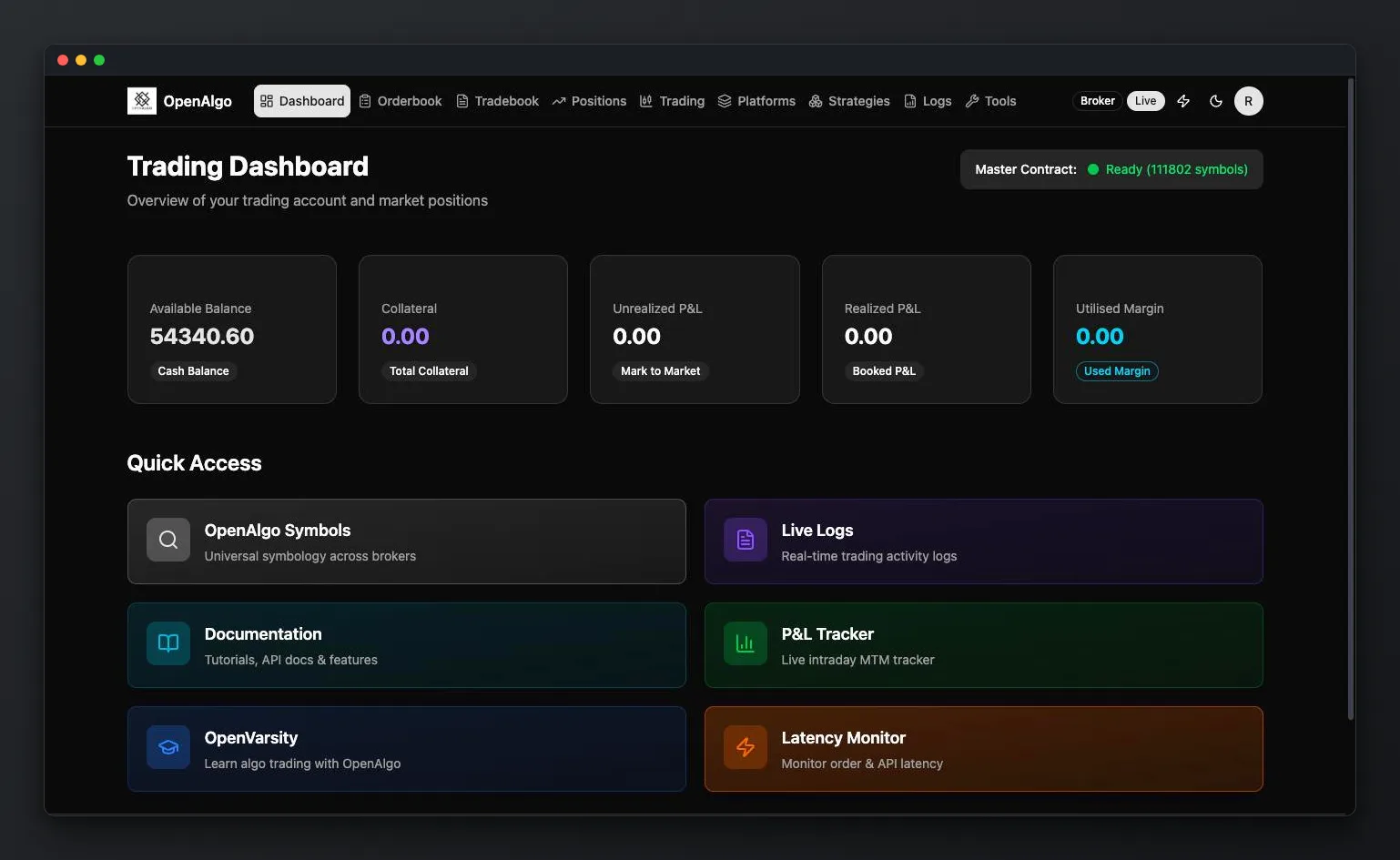
OpenAlgo is a free, open-source algo trading platform built for Indian markets. It's a web-based application that runs on your own computer or server. You download the complete source code, install it, and you have your own private trading platform.
It acts as a bridge between your trading ideas (from platforms like TradingView, Python, Amibroker, Excel) and your broker. You send signals to OpenAlgo, and it places orders in your broker account automatically.
Key Facts
Is OpenAlgo a Third-Party Platform?
Absolutely not. You own the complete source code. You download it, you run it on your own infrastructure, you have full visibility and control. Since you're running it yourself, it's your own platform. No approvals needed from any broker, exchange, or SEBI as a retail trader managing your own algos.
What Does "Open Source" Mean?
Open source isn't new. You've been using it every day without realizing.
Open source means the complete source code is available for free. You can download it, modify it, and even distribute it. No hidden costs, no subscriptions, no vendor lock-in. Here are some open-source tools you probably already use:
Android
Free OS on your phone
Linux
Powers most servers worldwide
WordPress
Free website builder
VLC Player
Free media player
Firefox
Free web browser
LibreOffice
Free office suite
Closed / Black-box Platforms
- You can't see how it works internally
- Your data may be on someone else's server
- Vendor can change pricing or shut down anytime
- You depend on their uptime and support
OpenAlgo (Open Source)
- Complete source code visible & auditable
- Your data stays on YOUR infrastructure
- Free forever. No subscriptions, no fees
- Community-driven, transparent development
How Does OpenAlgo Work?
OpenAlgo sits between your trading ideas and your broker.
Your Strategy
TradingView / Python / Excel
OpenAlgo API
Running on your machine
Broker Server
Zerodha / Angel / Fyers...
Signal Flow: Your strategy generates a signal → OpenAlgo receives it via its API → OpenAlgo converts it to a broker order → Broker executes the trade in your account
Daily Routine
OpenAlgo requires a daily login because broker authentication tokens expire every night (SEBI regulation). Here's the typical daily flow:
OpenAlgo auto logs out (tokens expired)
Log in to OpenAlgo, authenticates with broker
Master contract downloads (~1 lakh symbols, takes 10 to 20 sec)
Market opens. Your strategies run automatically
Market closes. Strategies wind down
Why after 8 AM? Brokers update their master contracts (symbol lists) early morning. Logging in after 8 AM ensures you get the latest symbols, especially important for option traders with weekly expiries.
Authentication & Security
How OpenAlgo securely connects to your broker.
Authentication Token
When you log in, the broker sends an authentication token. Think of it as a temporary key to your house. This token is valid for ~24 hours and is used for all operations: placing orders, checking funds, accessing market data. It's encrypted and stored in your local database. No one can see it.
Expires daily
Midnight to 3 AM (varies by broker)
Encrypted storage
Stored securely in your local DB
No refresh tokens
SEBI mandate. Daily login required
Two Types of Keys
Broker API Key & Secret
You get these from your broker's developer portal. Configured once in the .env file. Keep them private. Never share.
OpenAlgo API Key
Generated inside OpenAlgo itself. Used to send orders from external platforms (TradingView, Python, etc). Can be regenerated anytime if exposed.
Static IP Requirement
SEBI regulations require that your trading orders originate from a fixed (static) IP address. You can register a primary and secondary IP in your broker's developer portal. IPs can only be changed once per week.
How to get a Static IP: Contact your ISP and request a static IP. If hosting on a VPS/cloud, static IPs are usually provided by default. Check your current IP at openalgo.in/ip. Read our complete Static IP & Server Hosting Guide for step by step instructions.
What Can You Connect?
One platform, many integrations. Trade from wherever you're comfortable.
35+ Supported Brokers
Trading Platforms
Amibroker
Charting & AFL strategies
TradingView
Pine Script & webhooks
Python
Custom coded strategies
MetaTrader
MT4/MT5 Expert Advisors
Excel
Spreadsheet-based trading
Go Charting
Cloud-based charting
N8N
Workflow automation
Google Sheets
Sheet-based trading
SDKs in 6 Languages
Most brokers offer SDKs in 1 or 2 languages. OpenAlgo gives you SDKs in 6. Use whichever language you're comfortable with, and it works across all 35+ brokers.
Python
Node.js
Java
.NET
Go
Rust
Getting Started
One-time setup. 5 minutes for techies, ~45 minutes if you're completely new.
VS Code is a free code editor from Microsoft. It's where you'll manage OpenAlgo and build strategies. You can also use alternatives like Cursor, Windsurf, or AntiGravity (forks of VS Code).
After installing, add these extensions: Python, Pylance, and Jupyter (optional).
Python is the programming language OpenAlgo is built with. Download from python.org and install it. Important: check "Add Python to PATH" during installation.
Verify installation:
python --version
Git is how you download OpenAlgo from GitHub. It's mandatory. Simple click through installer.
Download from → git-scm.com
Verify: git --version
UV makes installing and running Python applications much faster. One command to install:
pip install uv
Create a project folder, then clone OpenAlgo:
git clone https://github.com/marketcalls/openalgo.git
cd openalgo
cp .sample.env .env
Edit the .env file and add your broker API key and secret. Get these from your broker's developer portal. Also set your redirect URL to match your broker name.
Security tip: The .env file has pepper keys for encryption. Change them once when first setting up, then never change again or you won't be able to log in.
One command to start everything:
uv run app.py
First run installs ~177 libraries (takes 2 to 3 minutes). After that, OpenAlgo starts on localhost:5000. Open it in your browser, create your account (first user = admin), and connect your broker.
~680 MB
Virtual environment size
177
Python libraries installed
Only needed if you want to use AI coding tools like Claude Code or OpenAI Codex to build strategies, or if you want to use OpenAlgo Skills for backtesting. Not required for basic trading.
Key Features
What you get out of the box with OpenAlgo.
Live & Analyzer Mode
Flip between live trading and sandbox mode with one click. Test strategies with sandbox capital before going live. Orders route to the correct mode automatically.
Host Python Strategies
Upload Python scripts directly into OpenAlgo. Schedule them for specific days and times. View logs in real-time. No external server needed.
Symbol Search
OpenAlgo uses a universal symbol format across all brokers. Search any symbol (stocks, futures, options) and get the exact OpenAlgo format to use in your code.
Real-Time WebSockets
Stream up to 3,000 symbols of live market data per connection. Built with raw WebSocket implementation (not SDKs) for maximum speed.
AI-Powered Strategy Building
Use Claude, ChatGPT, or Codex with OpenAlgo's documentation to generate trading strategies. Feed the SDK docs as context and describe what you want.
Built-in Rate Limits
SEBI mandates 10 orders/second for retail traders. OpenAlgo enforces this automatically along with session expiry at 3 AM IST.
TradingView & Webhooks
If you use TradingView, here's how signals reach OpenAlgo on your desktop.
TradingView runs in the cloud, but OpenAlgo runs on your local machine (localhost). To bridge this gap, you need a tunnel service that forwards webhook signals to your desktop.
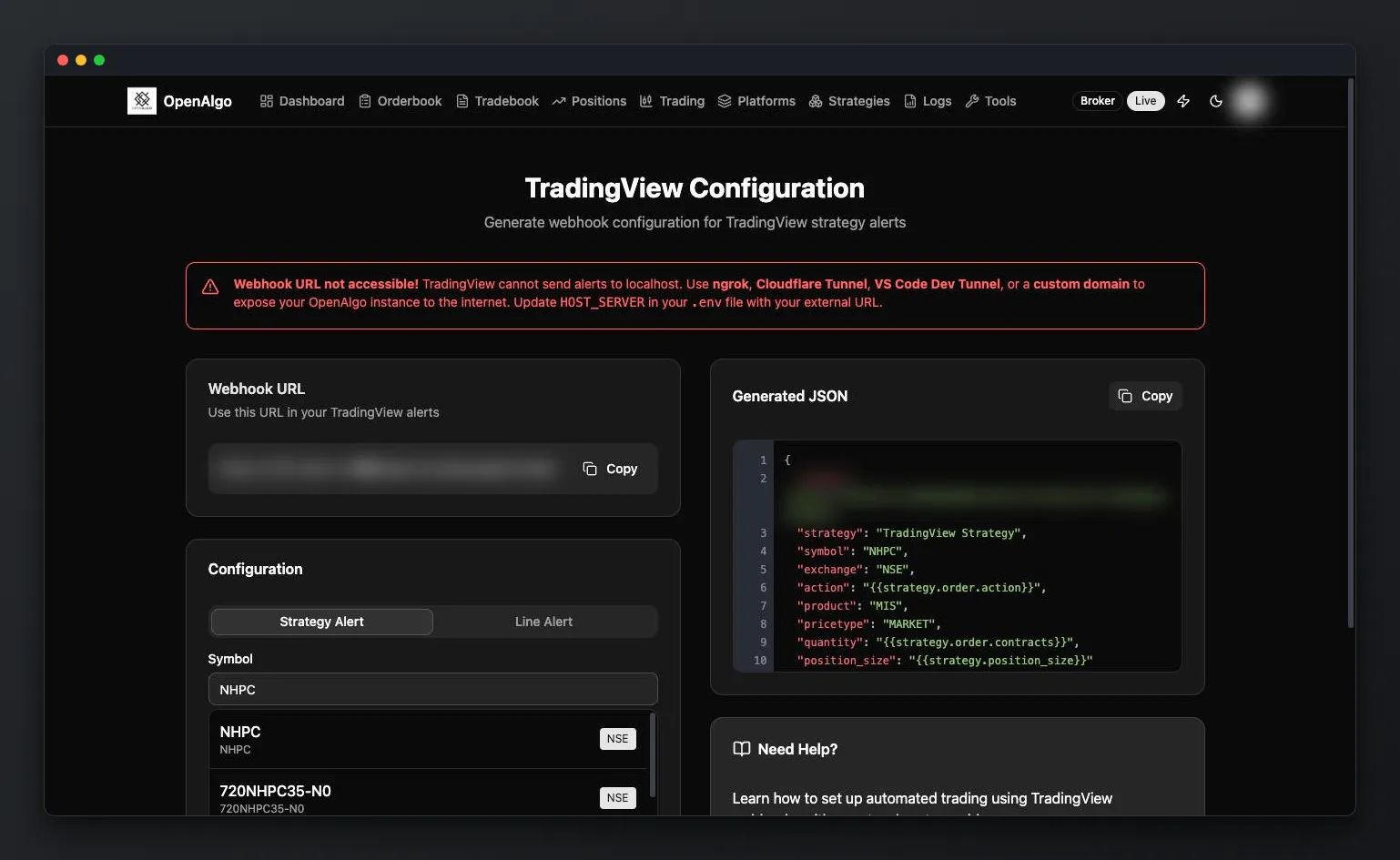
ngrok
Free, easy to set up
Dev Tunnel
Microsoft's solution, recommended
Cloudflare
Most reliable & secure
Not using TradingView? If you build strategies in Python directly, you don't need any tunnel at all. Python strategies run inside OpenAlgo itself and communicate directly via the local API. This is also the completely free option.
Hosting on a server? If you deploy OpenAlgo on your own VPS or domain (e.g., myalgo.mydomain.com), it acts as a public webhook endpoint. No tunnel needed.
Things to Remember
Important tips from the community for new users.
Daily login is mandatory
Broker tokens expire every night. Log in daily between 8 to 9 AM IST. There's no way around this. It's a SEBI regulation.
Test in Analyzer mode first
Always test strategies in sandbox/analyzer mode before going live. One click to flip between modes. Don't risk real money on untested code.
Start with intraday strategies (for hosted Python)
When hosting Python strategies inside OpenAlgo, positional strategies don't survive restarts. The strategy forgets open positions. Stick to intraday for hosted strategies. This doesn't apply to external platforms like TradingView or Amibroker.
Don't change .env pepper keys after setup
The encryption keys in your .env file are set once. Changing them later means you won't be able to log in. Generate random keys on first setup only.
Respect broker rate limits
SEBI allows 10 orders/second. Fetching historical data frequently also counts against limits. 5 to 10 strategies is a practical maximum.
Don't disturb during live markets
If a strategy is running live, don't restart OpenAlgo or flip modes mid-session. Let it complete its cycle.
Beyond the Core
OpenAlgo has an entire open-source ecosystem of tools, apps, and integrations.
Excel Add-in
Trade from spreadsheets
Mobile App
Flutter-based trading terminal
Fast Scalper
High-speed Rust + Tauri app
AlgoMirror
Multi-account orchestrator
MCP / AI Agents
AI-powered trading
OpenAlgo Chart
TradingView lightweight charts
OpenAlgo Flow
N8N workflow automation
Historify
Historical data platform
Chrome Plugin
Browser extension
Everything is open source. Explore all projects on GitHub
Ready to Start?
You've got the knowledge. Now set up your own algo trading platform.